


Introduction: What Is Notepad++?
Notepad++ is a powerful and free text editor designed specifically for Windows users. Unlike the simple Notepad that comes pre-installed on Windows computers, Notepad++ offers a vast range of features tailored to programmers, web developers, and anyone who works extensively with plain text files. It supports multiple programming languages, provides syntax highlighting, and includes many tools that simplify coding and text editing tasks.
First released in 2003, Notepad++ has grown steadily in popularity because it combines simplicity with high-level functionality. It’s open-source, which means its development is community-driven, and it remains free for everyone to download and use. Whether you’re a beginner learning to code or a professional developer managing complex projects, Notepad++ offers an efficient and customizable environment.
Why Is Notepad++ Trending Right Now?
The recent surge in Notepad++ usage is driven by several factors. The shift towards remote work and online learning has empowered many individuals to explore programming and digital content creation. As a result, demand for easy-to-use but powerful text editors has skyrocketed.
Additionally, Notepad++ continues to evolve with regular updates that improve security, add new features, and enhance user experience. Its lightweight nature means it runs smoothly on most Windows devices without hogging resources, a critical advantage as many users seek tools that optimize productivity without slowing down their computers.
In the competitive landscape of code editors, Notepad++ stands out for its balance of power and simplicity. It appeals to users who want more than the basic Notepad but don’t need the complexity of larger Integrated Development Environments (IDEs). This sweet spot has made Notepad++ a favorite among hobbyists, students, web designers, and seasoned developers alike.
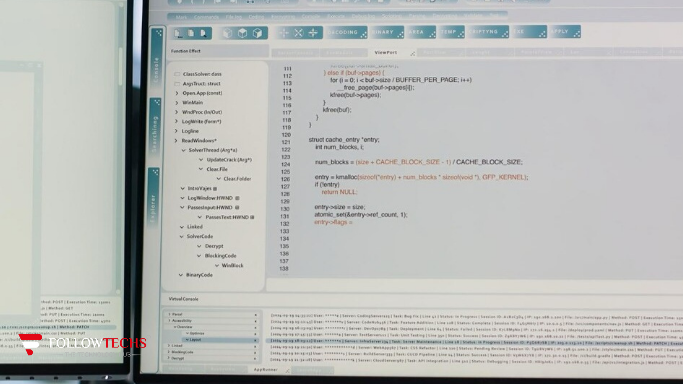
Key Features of Notepad++
1. Syntax Highlighting and Folding
One of the standout features is syntax highlighting. Notepad++ supports over 80 programming, scripting, and markup languages, including popular ones like Python, JavaScript, HTML, CSS, PHP, C++, and more. Syntax highlighting colors your code, making it easier to read and debug.
Syntax folding allows you to collapse sections of your code or text, helping you navigate large files efficiently by focusing only on relevant parts.
2. Tabbed Multi-Document Interface
Notepad++ allows you to open multiple files simultaneously in a tabbed interface. You can switch between files easily without cluttering your desktop. This feature is essential for managing different parts of a project or working on several documents at once.
3. Auto-Completion
The editor offers auto-completion for words, functions, and parameters, which helps speed up coding and reduces errors. This feature is customizable and supports many languages.
4. Powerful Search and Replace
Notepad++ includes advanced search and replace functionality, including:
- Search across multiple open files
- Regular expression search
- Find in files option to locate words or phrases in a folder or project
- Replace with confirmation or batch replace
These tools save time when working with large projects or multiple documents.
5. Extensive Plugin Support
Notepad++ supports a wide variety of plugins that extend its capabilities. Plugins can add features like spell check, FTP integration, code linting, macro recording, and even text encryption. You can browse, install, and update plugins directly from the Plugin Manager within Notepad++.
6. Customizable Interface and Themes
The editor allows you to customize the look and feel to suit your preferences. You can change themes, fonts, and colors to reduce eye strain during long coding sessions. There are many pre-made themes available, or you can create your own.
7. Macro Recording and Playback
If you perform repetitive tasks, Notepad++ lets you record macros — sequences of actions — and replay them with a single command. This feature boosts productivity by automating routine edits.
8. Lightweight and Fast
Notepad++ is known for its minimal use of system resources. It launches quickly and runs smoothly even on older hardware, making it a reliable choice for all users.
9. Multi-Language User Interface
Notepad++ supports many interface languages, making it accessible to users worldwide. You can switch the language in the settings to work comfortably in your native language.
Who Should Use Notepad++?
Notepad++ is incredibly versatile and suitable for a wide range of users:
- Beginners and Students: Its simple interface and helpful features make it a great tool for learning programming languages and basic scripting.
- Professional Developers: Supports complex coding tasks with features like multi-language support, plugins, and advanced search tools.
- Web Designers: Easily edit HTML, CSS, JavaScript, and other web-related files with syntax highlighting and quick editing features.
- Writers and Editors: Ideal for editing plain text, notes, scripts, or any simple document without distraction.
- System Administrators: Useful for editing configuration files, scripts, and logs.
- Anyone Needing a Reliable Text Editor: If you want more than basic Notepad but don’t require a full IDE, Notepad++ is a perfect fit.
Advantages of Notepad++
- Free and Open-Source: Access to regular updates and community support without any cost.
- Fast and Lightweight: Runs smoothly on almost any Windows machine.
- Highly Customizable: Personalize your workflow with themes, plugins, and macros.
- Wide Language Support: Works with countless programming and scripting languages.
- Easy Multi-File Management: Tabbed interface simplifies working on multiple projects.
- Advanced Editing Tools: Auto-completion, search and replace, and syntax folding enhance productivity.
- Secure: Open-source nature allows for transparent code and quick patches.
Disadvantages of Notepad++
- Limited to Windows: Not officially available on macOS or Linux, although some alternatives and workarounds exist.
- Not a Full IDE: Lacks advanced debugging and project management tools integrated into IDEs like Visual Studio or IntelliJ IDEA.
- Basic User Interface: Some users may find the interface less modern compared to newer editors.
- Plugin Dependency: Some advanced features require installing and managing plugins, which may be confusing for beginners.
How to Download and Install Notepad++ Safely
Downloading Notepad++ safely is crucial to avoid malware or unwanted software. Follow these steps:
Step 1: Visit the Official Website
Go directly to https://notepad-plus-plus.org/. This is the official source and guarantees you get the authentic, latest version.
Step 2: Select the Latest Stable Version
Navigate to the “Download” section. Choose the latest stable release suitable for your Windows system (32-bit or 64-bit). Most modern PCs require the 64-bit version.
Step 3: Download the Installer
Click the download link to get the installer file. Avoid third-party sites as they may bundle unwanted software.
Step 4: Run the Installer
Once downloaded, open the installer. You can customize the installation location and select optional components or plugins during setup.
Step 5: Complete Installation
Follow the installation prompts until done. After installation, launch Notepad++ from your Start menu or desktop shortcut.
Step 6: Keep Notepad++ Updated
Check for updates regularly via the “?” menu inside Notepad++. Keeping the software updated ensures you have the latest features and security patches.
Tips for Using Notepad++ Efficiently
- Customize Your Workspace: Tailor themes and fonts for comfort, especially for long coding sessions.
- Explore Plugins: Visit the Plugin Manager to find useful plugins like Compare, NppFTP, or Spell Checker.
- Use Shortcuts: Learn keyboard shortcuts to speed up your workflow. For example, Ctrl + Tab switches between open files.
- Backup Your Settings: Export your configuration and plugin list to transfer settings between devices.
- Use Macros: Automate repetitive tasks with macro recording.
- Leverage Search Tools: Master regular expressions in search for powerful text manipulation.
Conclusion
Notepad++ is a feature-rich, reliable, and free text editor that meets the needs of a broad audience, from beginners learning to code to seasoned developers managing complex projects. Its lightweight design, extensive language support, and customizable interface make it an excellent choice for anyone looking to enhance their text editing or coding experience on Windows.
While it lacks some advanced IDE features and is limited to the Windows platform, its balance between simplicity and power is what makes Notepad++ stand out. By downloading it safely from the official website, users can enjoy a fast, efficient, and secure tool that continues to grow and improve with community support.
If you want a dependable, versatile, and easy-to-use text editor, Notepad++ is definitely worth trying.
